
Before I start coding Swrl List 2 properly, I want to ensure I have a smooth deployment process to “Production”.
I’m using Cordova to write the app, which will create an iOS app, an Android app and a website. Neat.
This blog/guide shows how to deploy the website (browser in Cordova terms) to Heroku.
What is Heroku?
Heroku is a platform as a service (PaaS) which allows developers to deploy and scale apps and websites. The official blurb is here: https://www.heroku.com/what.
I find Heroku super simple to use and once set up, I can push changes to my app with no downtime with a simple git push. Also, they have generous free tiers and add-ons which is great for apps starting out.
How does Cordova run your code in the browser?
Before we deploy to Heroku, let’s understand how Cordova works locally to serve your app in the browser.
Starting from a fresh application creation:
npm install -g cordovacordova create myAppcd myAppcordova platform add browsercordova emulate browser
You should now be directed to http://localhost:8000/index.html in your browser and be looking at the default Cordova app screen
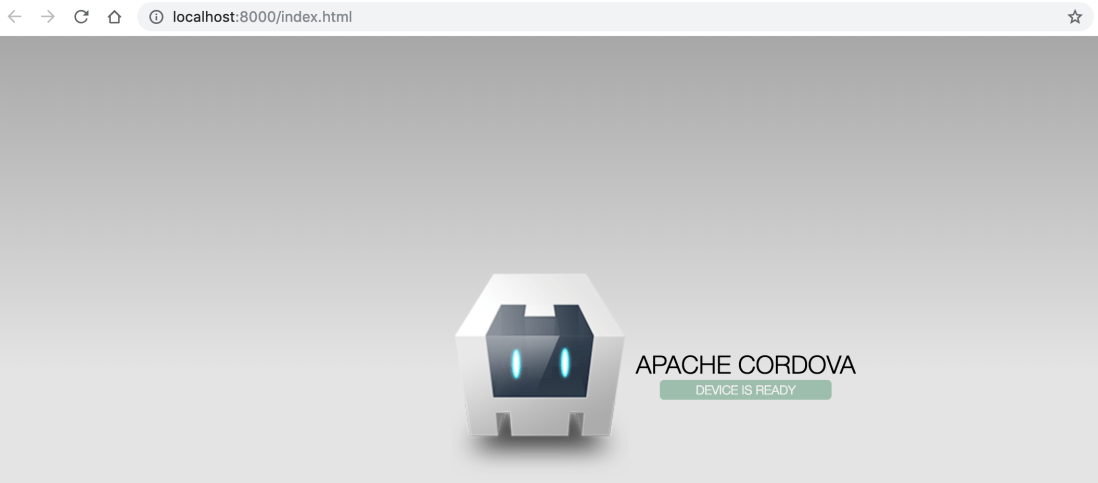
Behind the scenes, Cordova has written your source files to ./platforms/browser and spun up a process to serve those files listening on port 8000.
If you make changes in your app, you can run cordova prepare browser to update these files.
Mimicking cordova emulate browser
To deploy to Heroku, we need to mimic the actions cordova emulate browser does.
First, let’s install express so we can run a node webserver:
npm install express --save
Now create a simple server.js file to run the webserver:
const express = require('express');
const app = express();

app.use(express.static('platforms/browser/www'));

app.set('port', process.env.PORT || 8000);

app.get('/api/v1/health', function (req, res){
    res.setHeader('Content-Type', 'application/json');
    res.send(JSON.stringify({isAvailable:true}));
    console.log('Server running successfully');
})

app.listen(app.get('port'), function () {
    console.log('Express server listening on port '+app.get('port'));
});
Breaking that down…
app.use(express.static('platforms/browser/www'));
When Cordova builds your source files, it puts the index.html and JavaScript files into ./platforms/browser/www so we simply need express to serve those files from the web root ‘/’.
app.set('port', process.env.PORT || 8000);

app.listen(app.get('port')
Heroku chooses a random port for your app then routes your domain on port 443 to your running app. To bind to the correct port, you need to use the PORT environment variable Heroku sets on each build. Locally this will revert to port 8000.
app.get('/api/v1/health', ...
This is an optional static path to prove the webserver is up and running and isn’t dependent on the static Cordova built files.
Running node server.js allows us to visit http://localhost:8000 once more and see the Cordova welcome screen.
Deploying to Heroku
Now we now what to do, this is how to get Heroku to build and run it for us.
- Go to https://www.heroku.com/, sign up and create a new app:
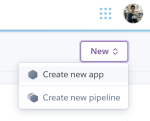
- Give it a nice name and remember it. For the following steps I’m assuming you called it “my-app”.
- Install the heroku cli tool: https://devcenter.heroku.com/articles/heroku-cli
heroku login- Initialise a git repo in your app directory:
git init . - Set up the git remote to Heroku
heroku git:remote -a my-app - Ensure Heroku runs the
cordova prepare browsercommand by adding a heroku-postbuild script to the package.json (as per https://devcenter.heroku.com/articles/nodejs-support#customizing-the-build-process):... "scripts": { "heroku-postbuild": "npm install -g cordova && cordova prepare browser" }, ... - Create a file called: “Procfile” in the root of the project with the contents:
web: node server.js. This tells Heroku how to start the app, see: https://devcenter.heroku.com/articles/procfile for more details. - Push to Heroku:
git push heroku master - Watch the build logs from the git output. Here’s snippets from expected output:
remote: Running heroku-postbuild
remote:
remote: > helloworld@1.0.0 heroku-postbuild /tmp/build_9f2e35fd04c0c187152c7fbcba92fc5a
remote: > npm install -g cordova && cordova prepare browser
remote:
remote: /tmp/build_9f2e35fd04c0c187152c7fbcba92fc5a/.heroku/node/bin/cordova -> /tmp/build_9f2e35fd04c0c187152c7fbcba92fc5a/.heroku/node/lib/node_modules/cordova/bin/cordova
remote: + cordova@8.1.2
remote: added 594 packages from 523 contributors in 12.155s
remote:
remote: You have been opted out of telemetry. To change this, run: cordova telemetry on.
remote: Discovered platform "browser@^5.0.4" in config.xml or package.json. Adding it to the project
remote: Using cordova-fetch for cordova-browser@^5.0.4
remote: Adding browser project...
remote: Creating Cordova project for cordova-browser:
remote:  Path: /tmp/build_9f2e35fd04c0c187152c7fbcba92fc5a/platforms/browser
remote:  Name: my-app
remote: Discovered plugin "cordova-plugin-whitelist" in config.xml. Adding it to the project
remote: Installing "cordova-plugin-whitelist" for browser

...

remote: -----> Build succeeded!
remote: -----> Discovering process types
remote: Procfile declares types -> web
remote:
remote: -----> Compressing...
remote: Done: 68.2M
remote: -----> Launching...
remote: Released v9
remote: https://my-app.herokuapp.com/ deployed to Heroku
remote:
remote: Verifying deploy... done.
- Visit your app in all its glory on the internet 🙂 https://my-app.herokuapp.com/ (Obviously this link will be different for you app 🙂 )
NB: Do not use the procfile to run cordova prepare browser. Even using a release-phase may make your app crash or fail to run. This is because it can take too long for the server to start up. The package.json script is expected to take longer and Heroku won’t stop your existing application until this passes successfully.
For a full working example of this, see: https://swrl-list.herokuapp.com/
Source: https://github.com/mrkyle7/SwrlList2
This project is a work in progress, so expect it to change over time! As of writing I’ve added a Cordova plugin for Google Sign-In which works seamlessly through Heroku.
Lovely.
 Daddy Coder
2 thoughts on “Deploying Cordova apps to Heroku”